UNMUSH
by Rubber Raccoon

UNMUSH

Fix the faces your upscaler mushed. ///

UNMUSH A PHOTO →
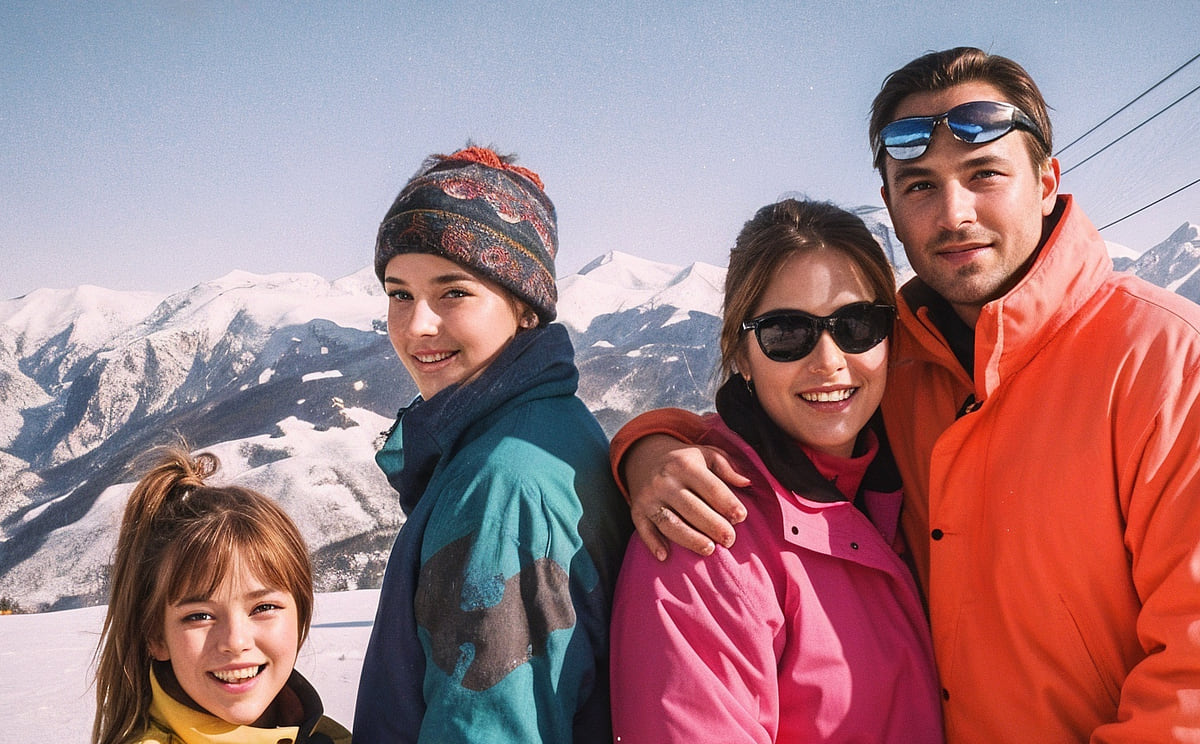
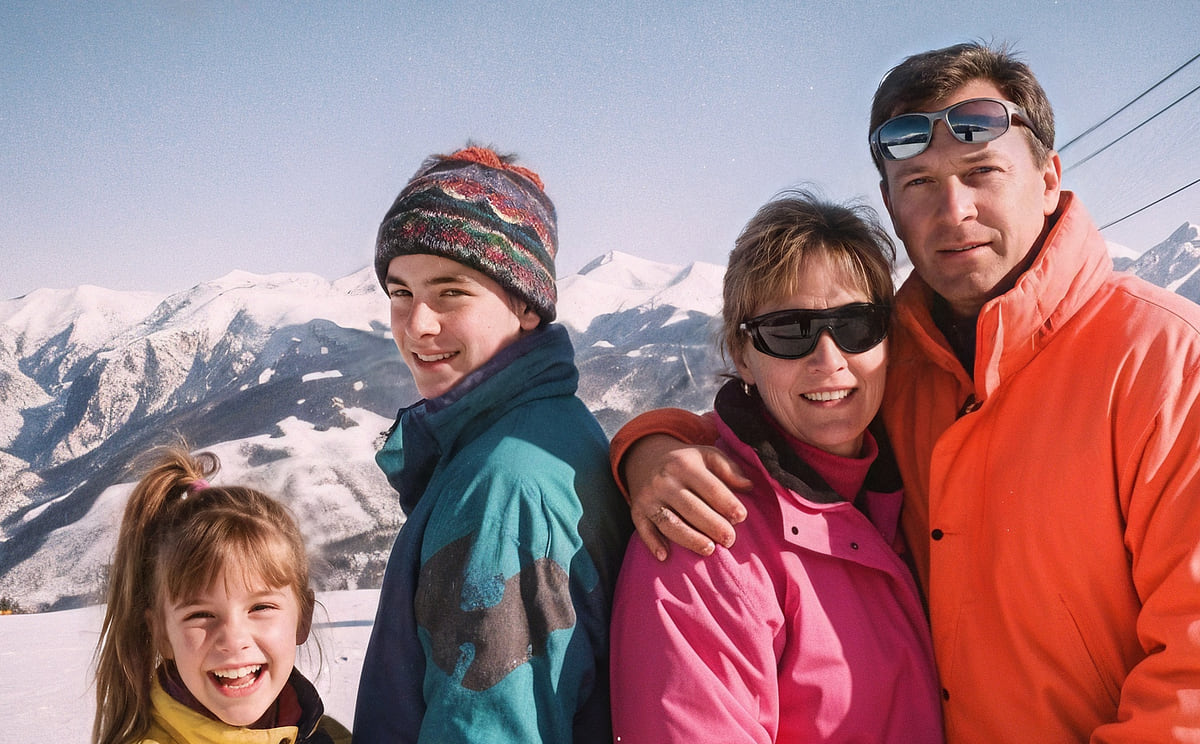
A 1993 ski-trip family photo after an AI upscaler: the family looks younger and airbrushed — the father like a model, the mother smoothed out The same photo after Unmush: the real family is back, as they looked AI UPSCALERUNMUSHED

AI upscalers invent detail. On small faces that means a new person — same photo, wrong face. Unmush rebuilds every face from the real one in your original photo, checks its own work, and leaves alone what your upscaler already got right.

Drag to compare. A 1993 ski trip, enlarged ×4 — on the left the upscaler made the family younger and airbrushed, on the right Unmush brought back their real faces.

(01) THE PROOF

Same photo. Wrong person.
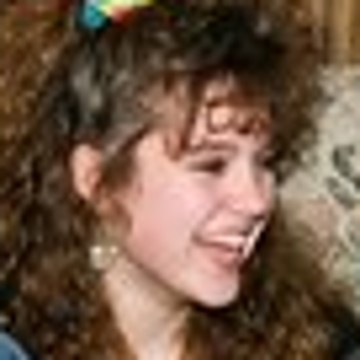
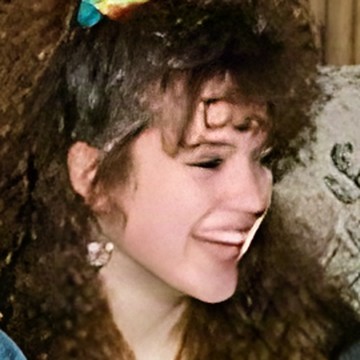
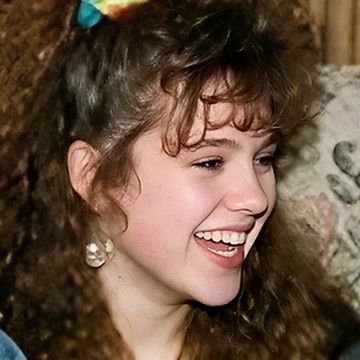
YOUR ORIGINALThe small original: a laughing teenage girl with curly hair and a scrunchie
UPSCALEAfter the upscaler: her eyes and mouth smeared flat
UNMUSHEDAfter Unmush: her laughing face, clear again
SMEARED1991 party: the upscaler smeared her face flat.
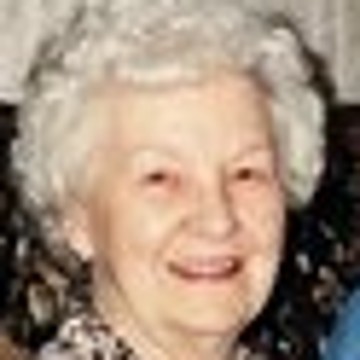
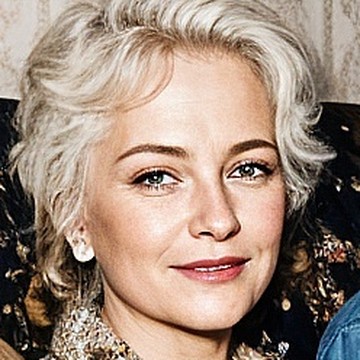
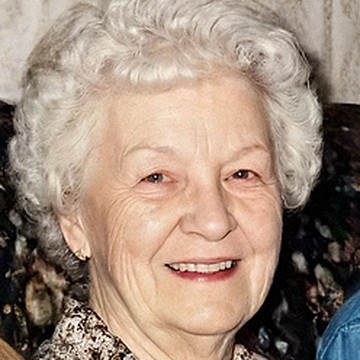
YOUR ORIGINALThe small original: a white-haired grandmother smiling on a sofa
UPSCALEAfter the upscaler: a glamorous woman half her age
UNMUSHEDAfter Unmush: the same grandmother
SWAPPED1996 family sofa: grandma became a thirty-year-old.
YOUR ORIGINALThe small original: a grinning teenage boy in a cap
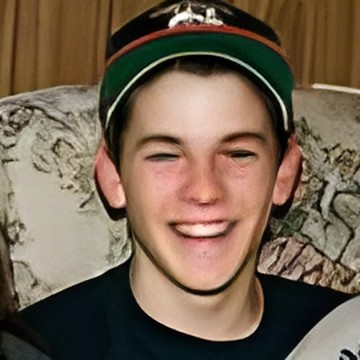
UPSCALEAfter the upscaler: his eyes melted shut, his mouth a white strip
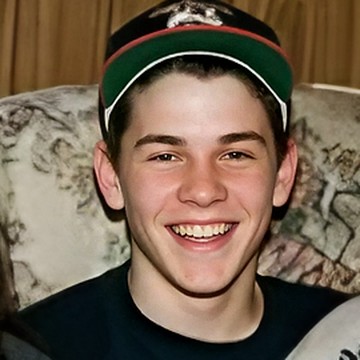
UNMUSHEDAfter Unmush: the same grinning boy, sharp
Same photo: his eyes and mouth melted.
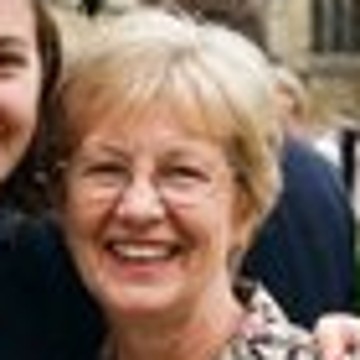
YOUR ORIGINALThe small original: a smiling mother in her sixties with glasses, at a graduation
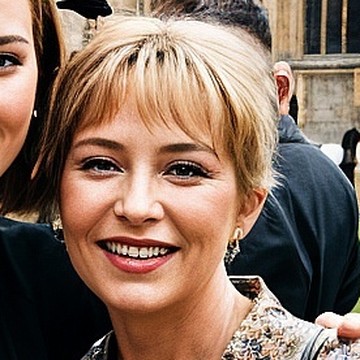
UPSCALEAfter the upscaler: a much younger woman with a fringe and no glasses
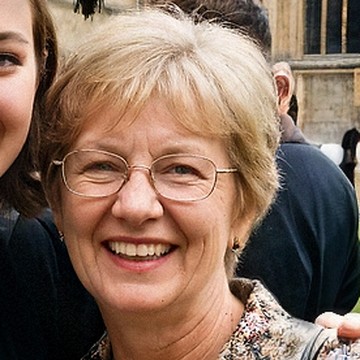
UNMUSHEDAfter Unmush: the same mother, glasses and all
1998 graduation: her mum lost thirty years and her glasses.

Some upscalers smear faces into mush, others paint in new people. Test photos: invented 1990s scenes made for testing (a 1991 party, a 1996 family sofa, a 1998 graduation; all people generated with AI), made as small as real old files — faces about 40–50 px wide. Each was enlarged ×4 by a popular AI upscaler, then passed through Unmush once, no hand edits.

(02) THE FIX

Feed it the pair.
Example: a small 1984 close-up of a woman and a man at a harbour caféEXAMPLE160 × 107 PX1YOUR ORIGINAL PHOTOthe photo before upscaling — click or drop it here
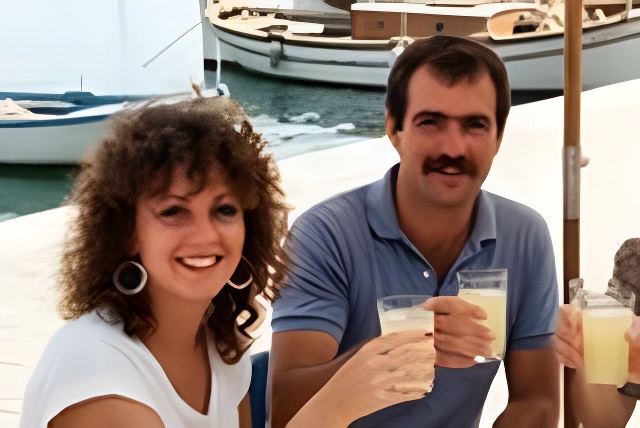
Example: the same close-up after an AI upscaler, four times larger, both faces smearedEXAMPLE640 × 428 PX2THE UPSCALED VERSIONthe same photo after your upscaler — click or drop it here

NO FILES AT HAND?

ADD BOTH PHOTOS TO START

THESE TWO FILES HAVE DIFFERENT SHAPES — THE UPSCALED FILE MUST BE THE UPSCALE OF THIS EXACT ORIGINAL (SAME FRAMING). REPAIR IS BLOCKED UNTIL THEY MATCH.

1 CREDIT PER PHOTO (UP TO 4 FACES) · RERUN 1 · CRISP 2 PER FACE · FAILED RUNS FREE — 3 FREE CREDITS WHEN YOU SIGN UP

Your upscaler's output, before face repair
(BEFORE) YOUR UPSCALER
The same image after Unmush repaired the faces
(AFTER) YOUR MIX↓ DOWNLOAD THE FIX

(03) HOW IT WORKS

Repair, not reinvention.

  1. YOUR ORIGINAL IS THE TRUTH

    Below a certain size, the face your upscaler drew is fiction. Unmush rebuilds each damaged face from the real one in your original photo.

  2. ANCHORED, THEN CHECKED

    Each face keeps the photo's exact expression and pose. Every repair is checked against your original before you see it. Runs that fail the check are free.

  3. YOU KEEP THE BEST OF EVERY RUN

    Rerun a single face, add reference photos, and mix the best version of each face into the final download. Mixing is free.

(04) PRICING

One credit per photo.

  • 1 PHOTO = 1 CREDITup to 4 faces or animals
  • RERUN = 1 CREDITTry Crisp on a face: 2
  • FAILED = FREEkept faces and mixing too
SEE THE CREDIT PACKS →

A credit is $0.20–0.30 depending on the pack, and the price shows before you click. New accounts start with 3 free credits.

(05) FAQ

Asked, answered.

Why do faces look wrong after AI upscaling?
AI upscalers hallucinate detail. On large faces that mostly works — but once a face is small in the original, roughly below 150–180 pixels, the "sharpened" face is an invention: same photo, different person. That's the mush. Unmush puts the real person back.
What does Unmush actually do?
You upload two files: your original and the upscaled result from any tool. Unmush finds every face, rebuilds the damaged ones from the real face in your original, and checks every repair automatically against your original before you see it. Faces the upscaler rendered faithfully are left exactly as delivered.
Which upscalers does it work with?
Any of them — commercial apps, open-source models, anything that outputs an image. Unmush never talks to your upscaler; it only needs your original photo and the upscaled file.
Will the person still look like themselves?
Every repair is anchored to that person's own face from your original — no stock faces, no invented identities — and must pass an automatic check against your original before you see it. If no run passes, that face shows your original's real face, enlarged — softer, but the right person — and it is free. Not right yet? Rerun it, or add a couple more photos of that person as references — identity gets stronger with every real photo you give it.
FAITHFUL vs CRISP — and what does AUTO do?
FAITHFUL stays closest to your original photo and is what AUTO — the default — uses for every face. CRISP rebuilds with bolder detail; it can look older or rougher, so it is offered per face (TRY CRISP) rather than by default. Every run is kept, so you keep whichever version is really them.
What does it cost?
One credit ($0.20 to $0.30, depending on the pack) repairs a photo with up to 4 faces or animals; every further 4 add a credit. A rerun of one face is 1 credit, TRY CRISP on a face 2. Failed runs are free, faces the upscaler got right cost nothing, and mixing versions is free. New accounts start with 3 free credits — the packs are on the credits page.
Can I redo just one face — and mix runs?
Yes to both. Every repaired face has its own RERUN button, every run is kept, and each face row has version chips: pick which run (or the upscaler's own version) ends up in the final download. Mixing is free.
Does it work on pets and animals?
Yes. Click + FIND ANIMALS and Unmush suggests the animal heads it spots next to the faces — include the ones you want repaired with one click, or mark one the detector missed with + MARK A FACE / PET. Animals get the same anchored repair, rebuilt from the real animal in your original photo — AI upscalers swap dog breeds just like they swap faces.
What happens to my photos?
They're processed only to perform the repair. We never use them to train AI models, and photos and results are deleted after 30 days. Details in the privacy policy.
Is there an API?
Yes. Developers and platforms can run the same face repair from their own code. Make a key on your account page; API credits cost $0.10 per image with up to 4 faces, pay as you go, with a free test key to build with. Developer guide.

Start with 3 free credits.

One account for every Rubber Raccoon tool. No subscription, and credits never expire.

SIGN UP →
DRAG A BOX AROUND EACH FACE OR PET — ZOOM IN TO FIND SMALL ONES
Your photo, for marking faces and pets
dashed boxes = already on the list · scroll to move around when zoomed
FACE (01)
100% = the real pixels of your upscale